修改GTranslate多语言插件语言默认切换效果
 摘要
摘要|
本文摘要由AI智能生成,仅供参考。
GTranslate是一个非常好用的多语言插件,一般网站用它免费版的前端实时翻译就可以了,我自己也经常用。但是GTranslate多语言插件语言默认切换效果不是太好。
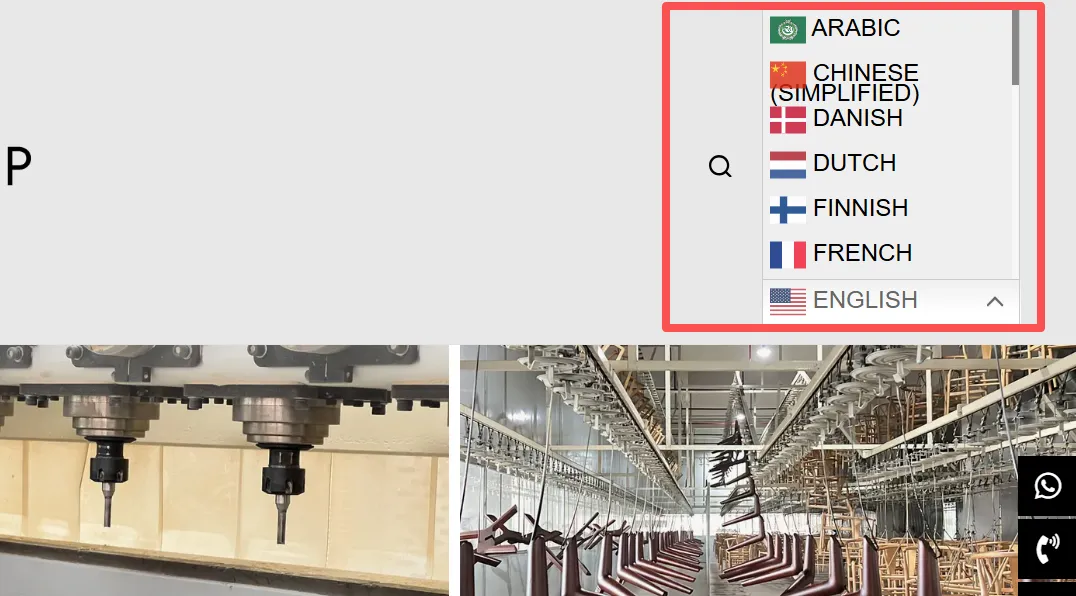
如上图所示,我把GTranslate多语言切换放到导航栏时,切换语言时,它会拉伸导航,感觉不是太好看。如果要求不高可以换一种预设将就用。或者是使用下面我提供的CSS来优化。
/* ========== GTranslate 多语言修复 - 不拉伸导航栏 + 正常显示下拉 ========== */
.gt_switcher {
    position: relative !important;
    display: inline-block !important;
    vertical-align: middle !important;
    height: auto !important;
    overflow: visible !important;
}

.gt_switcher .gt_option {
    position: absolute !important;
    top: 100% !important;
    left: 0 !important;
    z-index: 99999 !important;
    width: 190px !important;
    max-height: 400px !important;
    overflow-y: auto !important;
    background: #ffffff !important;
    border: 1px solid #eee !important;
    box-shadow: 0 3px 10px rgba(0,0,0,0.1) !important;
    padding: 5px 0 !important;
    margin: 5px 0 0 !important;
    display: none !important;
}

.gt_switcher .gt_option[style*="block"],
.gt_switcher .gt_option[style*="height: auto"] {
    display: block !important;

}

.gt_switcher .gt_option[style*="height"] {
    height: auto !important;

}

.gt_switcher .gt_option a,
.gt_switcher .gt_selected a {
    font-size: 13px !important;
    line-height: 1.6 !important;
    padding: 6px 15px !important;
    display: block !important;
    color: #333 !important;
    text-decoration: none !important;
    white-space: nowrap !important;
	background: #fff;

}

/* 鼠标悬停效果 */
.gt_switcher .gt_option a:hover {
    background-color: #f5f5f5 !important;
}
上面的CSS代码大家可以直接复制,也可以微调,比如颜色、字体大小等,然后粘贴到主题自定义设置的CSS中即可。
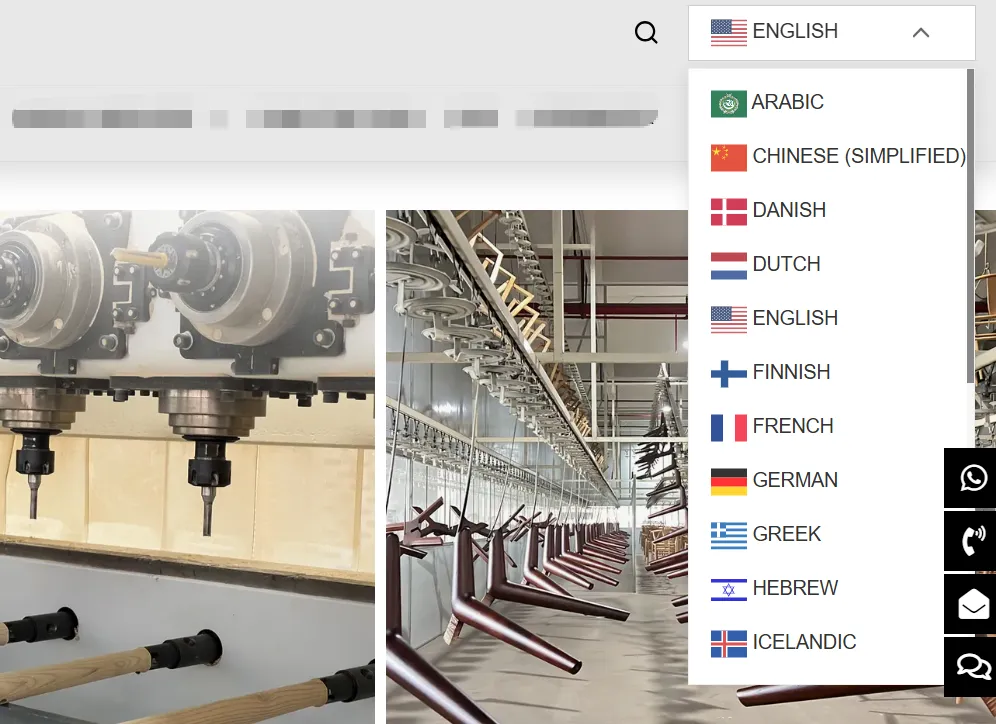
代码应用之后,当切换语言时它就不会拉伸导航栏了,效果如上图所示。
如果这篇内容对您有帮助,请给个五星分享一下哦!
[总体评分: 1 平均: 5]

wordpress外贸建站服务

WORDPRESS外贸建站案例

wordpress主机/服务器推荐

WordPress外贸网站包年维护

玩转云服务器和虚拟主机

常见问题

© Copyright 2020~2026. 悦然网络工作室/悦然wordpress建站 专注中小企业wordpress建站 All Rights Reserved.网站地图
本站图片来源为Pexels、Pixabay、Freepik、Unsplash等图片库的免费许可,CC0协议;还有部分为自己手绘或AI生成,版权碰瓷请自重!法律服务:law@yueranseo.com
蜀ICP备20016391号-1
 川公网安备 51011502000367号